
CCTV Installation Canberra — See Everything, From Anywhere
A complete 6-8 camera Ubiquiti Unifi G5 CCTV system installed at your home or business — AI motion detection, smart-lock integration, mobile alerts, and off-site backup. Properly mounted, properly cabled, properly configured.
Surveillance that actually works when it counts
A camera system is only as good as its install. Most of the trouble calls we get are systems thrown up by a handyman with a drill — wrong angles, exposed cabling, no off-site backup. We design proper coverage with overlapping fields of view, hardwire every camera with shielded Cat6, terminate cleanly, and configure the AI Pro NVR with motion zones that don't ping you every time a possum walks past. Then we hand it over so you actually use it.
What’s included from $7,995
No hidden extras. No upsell on the day. What's listed is included in the starting price. We confirm scope with an in-home site survey before any work begins.
- 6–8 Unifi G5 camerasMix of G5 Bullet, G5 Dome, G5 Pro and G5 Doorbell — chosen for your property.
- Unifi AI Pro NVROn-prem recording with on-device AI — person/vehicle/package detection.
- Hardwired Cat6 PoEHardwired PoE cabling — shielded Cat6, cleanly terminated, no wireless dropouts.
- Smart-lock integrationCamera shows the entry when the lock is touched — works with most smart locks.
- Motion zones & AI alertsTargeted alerts — front gate, driveway, back door — not constant pings.
- Off-site backupCritical events copied to Unifi Cloud and / or your NAS — survives theft.
- Mobile & desktop appsLive view, playback, and event clips from anywhere on UniFi Protect.
- Signage & deterrent stickersASIAL-compliant external signage — 60% of break-ins are deterred at the door.
- Family / staff handoverWe sit with you and show you exactly how to use it.
- 12-month workmanship warrantyIf a mount, cable run or termination ever fails, we fix it free.
"The team did a thorough site walk before quoting, designed coverage that actually made sense, and the install was immaculate. We can finally sleep at night when we're away."
How it works
Four steps from "I'd like that" to "it's all working".
Book online or call
Tell us a bit about your home and what you'd like. We'll be in touch shortly to confirm details and organise a site visit.
Free in-home walkthrough
A senior tech visits to confirm cable routes, mounting points, and your preferences. No obligation, no upsell.
Install day(s)
Two-tech crew on site, drop sheets down, tidy install. Components tested and signed off before we leave.
Handover & quick-start guide
We sit down with you on the day, walk through the system, any apps and key features, and leave behind a quick-start guide. Anything you want refreshed down the track, we're a phone call away.
Smaller property? Bigger property?
The Pro package covers most Canberra homes. If you need a smaller starter system or you're protecting an estate with multiple buildings, we scale up or down — the same install quality, just sized to your property.
Home Security Starter
4 Unifi G5 Bullets + Cloud Key NVR — from $4,995.
Estate Multi-Building
10–12 cameras, dual NVR, LPR plate reader — from $12,995.
Add smart locks
Yale, Lockwood or Aqara smart locks integrated — from $1,495 each.
Hikvision vs UniFi — which is right for you?
We install both platforms and we'll give you a straight answer on which suits your situation. Here's how they compare in practice.
Hikvision — cost-effective residential
Hikvision is the world's most-installed CCTV brand for a reason: the cameras perform well, the NVRs are reliable, and the price point is genuinely accessible. For a granny flat, a rental property, a shed or outbuilding, or a homeowner who wants solid coverage without a premium price tag, Hikvision is the sensible choice. We specify their ColorVu and AcuSense lines, which give you full-colour night vision and accurate person/vehicle filtering. The Hik-Connect app works reliably for remote viewing. It's not as polished as UniFi Protect, but it does the job well.
UniFi — premium residential
UniFi is where we go for primary residential security on homes where the owner wants the best experience. The G5 range has genuinely excellent low-light performance, the AI Pro NVR does hardware-level object detection so alerts are accurate rather than constant, and the Protect app is the most intuitive interface we've seen on a CCTV platform. If you're already running a UniFi network (or we're installing one for you), the CCTV system integrates natively — one controller for cameras and access points. The total cost is higher than Hikvision, but the day-to-day experience is noticeably better.
Which should you choose?
For most Canberra homeowners protecting a primary residence, we recommend UniFi. For rental properties, secondary buildings, or tight budgets, Hikvision is a solid option we're happy to install. We don't recommend one over the other for commercial reasons — we recommend based on your situation. If you're unsure, tell us your property type and budget and we'll give you a direct answer during the consultation.
Camera types we install
Different positions on your property call for different camera form factors. Here's what we use and why.
Turret cameras
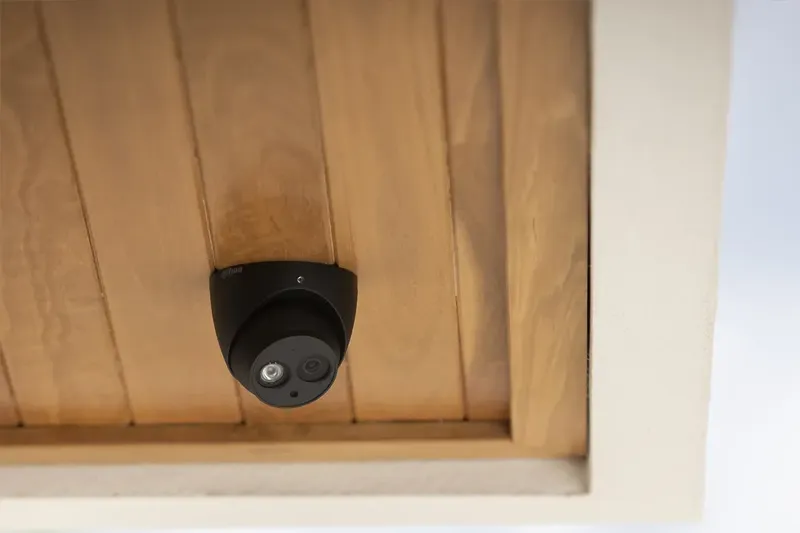
Also called eyeball or dome cameras, turrets are the most common choice for eaves mounting around a home. They sit flush to the mount, adjust in any direction, and are difficult to tamper with because the lens direction isn't obvious. We use UniFi G5 Domes and Hikvision ColorVu turrets depending on the system. Suits: front door overhangs, eaves at corners, internal garage corners.
Bullet cameras
Bullet cameras are the visible, cylindrical cameras you recognise immediately as security cameras. Their visibility is part of the point — they're a deterrent as much as they are a surveillance device. They have strong directional performance and are well-suited to covering long driveways, back yards, and gate entries where you need reach. Suits: driveways, rear yards, gates and boundaries.
PTZ cameras
Pan-tilt-zoom cameras can be manually or automatically directed to track motion across a wide area. For most residential properties they're overkill, but on larger blocks, acreage, or properties with wide open areas to cover, a single PTZ can replace three or four fixed cameras. We install PTZ units on properties in Queanbeyan, Googong, and Bungendore where block sizes warrant it. Suits: large residential blocks, acreage, properties with wide sight lines.
Video doorbell cameras
The UniFi G4 Doorbell Pro is our standard choice for a hardwired doorbell camera. It integrates natively with the UniFi Protect NVR, so all footage is stored on-premise alongside your other cameras — not in a subscription cloud service. It has a crisp wide-angle lens, two-way audio, and a built-in motion zone so you're not alerted every time a car drives past. If you have an existing doorbell wiring position, installation is clean and straightforward. Suits: all Canberra homes with a front entry that doesn't have direct camera coverage.
Recording, storage and remote viewing
Understanding where your footage lives — and how to access it — is worth knowing before you buy.
NVR (on-premise recording)
Both our Hikvision and UniFi systems record to a Network Video Recorder installed on your property — typically in a comms cupboard, a garage rack, or a secure lockbox. The NVR stores continuous footage and event clips locally. There's no monthly subscription, no footage leaving your home by default, and the system keeps recording even if your internet is down. We size the NVR storage to give you 30+ days of continuous recording across your camera count, typically using 4TB or 8TB drives depending on camera resolution and quantity.
Off-site backup
On-premise recording has one vulnerability: if the NVR is stolen or damaged, you lose the footage. We address this with off-site backup. For UniFi systems, Protect has native cloud storage for events. We can also configure your NVR to write critical events to a NAS (network-attached storage) elsewhere on the property, or to an encrypted cloud destination. For most Canberra homeowners, the combination of NVR + event cloud backup is sufficient. We configure whichever option suits your risk tolerance.
Remote viewing and app access
Both platforms have mobile apps that give you live view, event playback, and alerts from anywhere. UniFi Protect is available on iOS and Android and supports multiple users with individual access levels — you can give your partner full access, a house-sitter view-only, and a property manager limited clips. Hikvision's Hik-Connect app covers the same ground. We configure all user accounts during handover so everyone who needs access has it from day one.
Lighting and night vision considerations for Canberra homes
Most break-ins in Canberra happen at night. Getting night vision right is more nuanced than it might seem.
Infrared vs full-colour night vision
Standard security cameras use infrared (IR) LEDs to illuminate a scene at night — the footage is black and white, but sharp and detailed. Newer cameras like the Hikvision ColorVu range and the UniFi G5 cameras use white-light LEDs (or a combination) to produce full-colour night footage. Colour is more useful for identifying people, vehicles, and clothing. In darker areas of a property — side gates, rear yards with no ambient light — full-colour cameras are the better choice. We specify based on each camera position.
Canberra's frost and direct sun
Canberra winters are hard on exposed electronics. IP66 or IP67 weather rating is the baseline for any external camera we install — that covers frost, rain, and the kind of condensation you get on a Canberra morning. We also account for summer glare: a camera mounted facing west in the afternoon sun will wash out unless the angle is adjusted or a sun shield is fitted. We check sun angles during the site survey and position cameras to avoid direct sun hitting the lens at peak brightness.
Supplementary lighting integration
In some positions, it's more effective to trigger a floodlight on motion than to rely on camera IR alone. A triggered white light illuminates the area brightly, improves footage quality dramatically, and acts as a deterrent. Where a camera position has poor ambient light and no practical way to get colour coverage, we'll suggest pairing it with a triggered floodlight — either hardwired or using a smart plug if power is nearby. This is particularly relevant for back yards and side passages.
Recent Canberra CCTV jobs
Three recent installs that illustrate the range of what we do.
Yarralumla — family home on a corner block
A 4-bedroom home on a corner block in Yarralumla with two street frontages to cover. The brief was full perimeter coverage with no blind spots, particularly at the side passages. We designed an 8-camera UniFi system: two G5 Bullets at street height covering both frontages, two G5 Domes at eave height covering each side passage, a G4 Doorbell at the front entry, two rear-yard cameras angled to cover the full garden, and one covering the garage and driveway. AI Pro NVR with event backup to Unifi Cloud. The owners travel frequently — they can check any camera from anywhere in the world and have motion alerts set to notify only on person detection, so false alerts from pets and birds aren't an issue.
Googong — acreage with outbuilding
A Googong property with a 4-bedroom main house and a large powered shed used as a workshop. The brief was to cover both buildings independently, with all footage aggregating to a single NVR so the owners could review everything in one place. We installed Hikvision AcuSense at the shed (5 cameras covering entry, roller door, and perimeter) and a UniFi system at the main house. A long Cat6 run was trenched between buildings and a PoE switch at the shed allowed cameras to be powered without separate power runs at each position. Single NVR in the main house rack, single app for both systems.
Belconnen — townhouse complex
A body corporate in Bruce with a 6-townhouse complex that had no CCTV coverage at all. We installed a common-area system with 6 cameras covering the shared driveway entry, bin area, visitor parking, and rear walkway. UniFi AI Pro NVR located in the common meter room, with individual access accounts for each body corporate member and a separate account for the strata manager. The system is fully owned by the body corporate with no ongoing subscription fees. We return annually for a firmware check and lens clean as part of the maintenance arrangement.
Frequently asked
Yes — ACT SEC LIC 17502783 and NSW SEC LIC 000108288. We're members of ASIAL (Australian Security Industry Association). Both licenses and our ABN are listed in our footer.
UniFi G5 cameras have superior low-light performance, hardware AI on the NVR, and receive firmware updates for years. We do install entry-level brands like Hikvision when the use case calls for it — sheds, outbuildings, granny flats, rentals — but for primary residential coverage UniFi is the system we trust. See our Essentials package →
Yes. Recording is on-premise — the system keeps recording locally even if the internet drops. Off-site backup syncs when it comes back.
Typically 30+ days continuous on the NVR storage we configure. You can keep critical events indefinitely on Unifi Cloud or your own NAS.
Yes — Unifi is modular. We can add cameras, doorbells or access points any time. Returning customers get priority scheduling.
Most Canberra homes on a standard suburban block are well covered by 4 to 8 cameras: front entry, driveway, each side passage, and the rear yard. Smaller properties or townhouses can be well covered with 4. Larger homes, corner blocks, or properties with outbuildings typically need 8 or more. We design the layout during a free site walkthrough and won't specify more cameras than your property needs.
No — recording runs on-premise and continues regardless of whether your internet is up or down. You do need internet to view the system remotely or receive mobile alerts. Off-site backup (to cloud) also requires internet. But the core function — recording footage locally — is completely independent of your internet connection.
Yes. In the ACT, residential CCTV is legal but there are obligations around placement and notification. You should not position cameras to record into a neighbouring property or a public area unnecessarily. External signage noting that CCTV is in use is considered good practice and is included in our installs. If your cameras cover a shared driveway or boundary area, we'll advise on the recommended approach. We are not lawyers — if you have specific concerns, the ACT Privacy Commissioner's office provides guidance.
We configure NVR storage to retain 30 or more days of continuous footage. Once the drive is full, the oldest footage is overwritten — known as circular recording. If you want to keep specific events indefinitely, you can download clips or configure event backup to cloud or NAS storage. We set this up during handover.
Yes. Both the UniFi Protect and Hik-Connect apps support multiple user accounts with individual access levels. You can give each family member their own login, set different permissions (view-only vs full admin), and have multiple people receiving alerts simultaneously. We create all family accounts during the handover session so everyone leaves knowing how to use the system.
Matching Palmers package
Prefer a fixed-scope package? These are the bundles our Canberra customers pick most.
Four-camera Unifi Protect starter pack with cloud recording and remote viewing for Canberra homes.
See what's included →Larger properties covered end-to-end with 6-8 cameras, NVR and professional network cabling.
See what's included →CCTV installation across Canberra suburbs
Local installation examples and what we typically deliver in your area.